Project Instructions
WEDNESDAY: Complete Workflow Phase 1-3
Follow the instructions in ⭐ Workflow: Apply Example.
Complete:
- Phase 1. Start & Run - copy the project and confirm it runs
- Phase 2. Change Authorship - update the project to your name and GitHub account
- Phase 3. Read & Understand - review the project structure and code
FRIDAY/SUNDAY: Complete Workflow Phases 4-5
Complete:
- Phase 4. Make a Technical Modification
- Phase 5. Apply the Skills to a New Problem
Topic
Streaming visualization using Kafka, validation, enrichment, and live charts.
This project focuses on visualizing streaming messages as they are consumed.
The case project:
- produces sales messages to a Kafka topic
- consumes messages from Kafka
- validates each message against a data contract
- enriches valid messages with derived fields
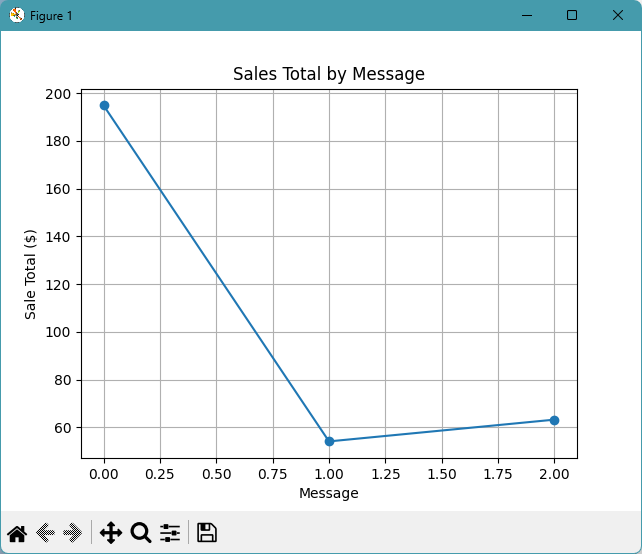
- updates a live chart as messages arrive
- writes consumed records to a local CSV file
Example Files
Review these files before making your changes:
| File | Purpose |
|---|---|
src/streaming/kafka_producer_case.py |
Produces sales messages to Kafka |
src/streaming/kafka_consumer_case.py |
Consumes, validates, enriches, and charts messages |
src/streaming/data_validation/data_contract_case.py |
Defines the data contract |
src/streaming/data_engineering/derived_fields.py |
Computes derived fields |
src/streaming/visualizations/live_visualizations_case.py |
Updates the live chart |
The example data starts in:
Run commands are in README.md.
Phase 4: Make a Small Technical Modification
Copy the consumer case file:
Rename your copy:
Run your copied file and make one small change.
Good options include:
- change the KAFKA_TOPIC name in
.env - change the PRODUCER_MESSAGE_COUNT in
.env - change the PRODUCER_MESSAGE_INTERVAL_SECONDS in
.env - change the live chart to use a different field
- change the chart title or axis labels
- write an additional output CSV field
- change what gets logged for each consumed message
Keep your change small enough that you can explain it clearly.
Optional: Modify the Producer
You can leave the producer unchanged.
To customize the producer:
- Copy
src/streaming/kafka_producer_case.py. - Rename it
src/streaming/kafka_producer_yourname.py. - Change the message source or message fields.
- Run the full pipeline again.
Phase 5: Apply the Skills
Apply the same streaming visualization pattern to your own scenario.
You may:
- extend the current sales example
- change the live chart to use a different field
- create a different live chart
- add a second chart
- use a different dataset
- compare visual patterns across message groups
Document your work in docs/index.md.
Explain:
- what scenario or dataset you chose
- what changed from the case example
- what your consumer does to each message
- what your chart shows
- what patterns or insights you observed in the stream